

Being banned from WhatsApp whether temporarily or permanently can cause serious disruption to both personal and professional life. Whether you’re managing customer service through WhatsApp or simply staying in touch with friends and family, losing access can be stressful and unexpected.
Fortunately, appealing a WhatsApp ban is possible and the key lies in how you communicate your situation. A respectful, honest, and well-structured message can significantly increase your chances of being unbanned.
In this article, we’ll cover:
- Why WhatsApp bans accounts
- How to write a persuasive unban request
- Top 5 proven templates to request unban
- Common mistakes to avoid
- Bonus tips to protect your account in the future
✅ Powered by WASheet: The simplest way to organize WhatsApp customer data into Google Sheets without violating WhatsApp’s terms!
🚫 Why WhatsApp Accounts Get Banned?
WhatsApp enforces community rules and technical policies to keep users safe. When those rules are broken intentionally or unintentionally—your account may be restricted or banned.
🔍 Common Reasons for a WhatsApp Ban:
- Using unauthorized apps (e.g., GB WhatsApp, YoWhatsApp)
- Spamming or sending bulk messages.
- Being reported repeatedly by other users
- Using automation tools that violate WhatsApp terms
- Sharing inappropriate, abusive, or illegal content
- Even if you didn’t know the rules, WhatsApp may still issue a ban for suspicious activity.
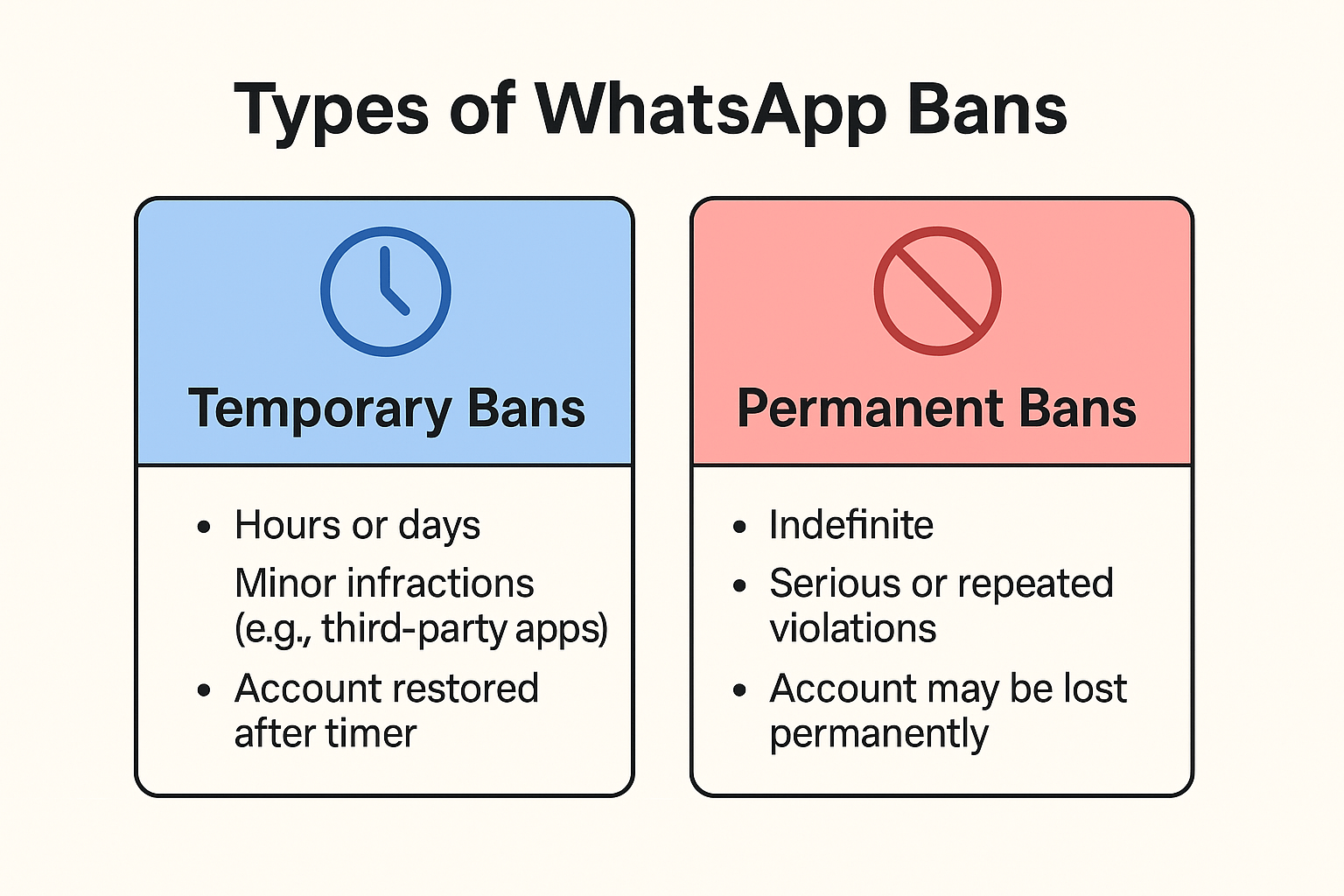
📋 Types of Bans:
✍️ How to Write a Good WhatsApp Unban Request
Your unban message is not just a formality it’s your first and possibly only impression to the WhatsApp moderation team. A generic or angry message likely won’t help.
✅ What Makes a Strong Unban Request:
- Polite and respectful tone
- Honesty about what happened
- Clear acknowledgment of WhatsApp’s rules
- Commitment to using only the official app moving forward
- A clear request to review your case
- Whether you made a mistake or were wrongfully banned, your attitude and clarity in your message matter more than length.
📝 Top 5 Templates to Request WhatsApp Unban
Below are five ready-to-use templates for different situations. You can copy, personalize, and send them to WhatsApp through their official appeal form: https://www.whatsapp.com/contact
Template 1: General Appeal (Unsure of Reason)
Subject: Request to Unban My WhatsApp Account
Dear WhatsApp Support Team,
I recently discovered that my WhatsApp account has been banned. I’m unsure of the specific reason, but I have always tried to use WhatsApp responsibly. If I unknowingly violated any guidelines, I sincerely apologize.
I kindly request you to review my account. I am committed to using only the official WhatsApp app and will make sure to follow all community standards moving forward.
Thank you for your time and support.
Best regards,
[Your Name]
[Your Phone Number]
Template 2: Ban Due to Unofficial Apps
Subject: Appeal to Restore WhatsApp Access
Dear WhatsApp Team,
I understand that my use of an unauthorized app such as GB WhatsApp may have caused my account to be banned. I was unaware that it violated your terms, and I’ve now deleted all such apps.
I’ve reinstalled the official WhatsApp app and kindly ask that you review and consider restoring my account. I value WhatsApp deeply for staying in touch with my clients and loved ones.
Thank you for your understanding.
Sincerely,
[Your Name]
[Your Phone Number]
Template 3: Bulk Messaging or Spam Trigger
Subject: Request for WhatsApp Account Review
Dear WhatsApp Support,
I believe my account may have been flagged due to a high number of outgoing messages. I use WhatsApp to manage business conversations, and I now understand that bulk messaging may trigger spam filters.
I apologize for any inconvenience caused. I have adjusted my practices and will ensure this doesn’t happen again. Please consider unbanning my account.
Warm regards,
[Your Name]
[Your Phone Number]
Template 4: Wrongful Reports by Users
Subject: Appeal for Account Restoration
Dear WhatsApp Support,
I believe my account was banned due to multiple reports, possibly caused by a misunderstanding. I have never intended to disturb or harm any users and always used WhatsApp to stay connected with friends and clients.
If I unintentionally caused concern, I apologize. I’m fully committed to using WhatsApp responsibly and would appreciate a review of my account.
Thank you for your consideration.
Sincerely,
[Your Name]
[Your Phone Number]
Template 5: Business Account Use Confusion
Subject: Request to Reopen WhatsApp Business Account
Dear WhatsApp Team,
I use WhatsApp primarily for business communication. If my account was flagged for marketing or outreach, I assure you that I never intended to spam or break any guidelines.
I’ve now reviewed your policies and made appropriate adjustments. I kindly request you to reactivate my account so I can continue serving my customers respectfully.
Thank you,
[Your Name]
[Your Phone Number]
💡 Additional Tips for a Successful Unban Appeal
✅ DO:
- Write your message in clear, professional English.
- Be respectful and avoid accusations.
- Include your full phone number with country code.
- Send from the email linked to your WhatsApp account.
❌ DON’T:
- Spam support with multiple messages.
- Use aggressive language or blame WhatsApp.
- Copy-paste unrelated or irrelevant content.
🛡️ How to Prevent Getting Banned Again
If your account is restored, follow these best practices to stay safe:
- Use only the official WhatsApp or WhatsApp Business apps.
- Avoid sending unsolicited bulk messages.
- Respect group invite limits and user preferences.
- Refrain from sharing harmful or controversial content.
- Use tools like WASheet to manage customer chats without automation risks.
📌 Final Thoughts
Getting banned from WhatsApp isn’t the end especially if you act fast with a clear, honest, and respectful appeal. The templates above are designed to make that process easier for you.
Always remember: the best way to avoid future bans is to play by the rules and use trusted tools like WASheet that work alongside WhatsApp’s policies.