
In today’s business landscape, speed and efficiency matter. Whether you’re handling customer queries, confirming orders, or sending marketing updates, WhatsApp remains a dominant communication tool. But managing contacts and messages manually can quickly become overwhelming.
Enter WASheet a powerful Chrome extension that bridges the gap between Excel and WhatsApp, allowing you to automate, personalize, and manage bulk messages with ease. If you’re looking to supercharge your WhatsApp communication straight from Excel, this guide is for you.
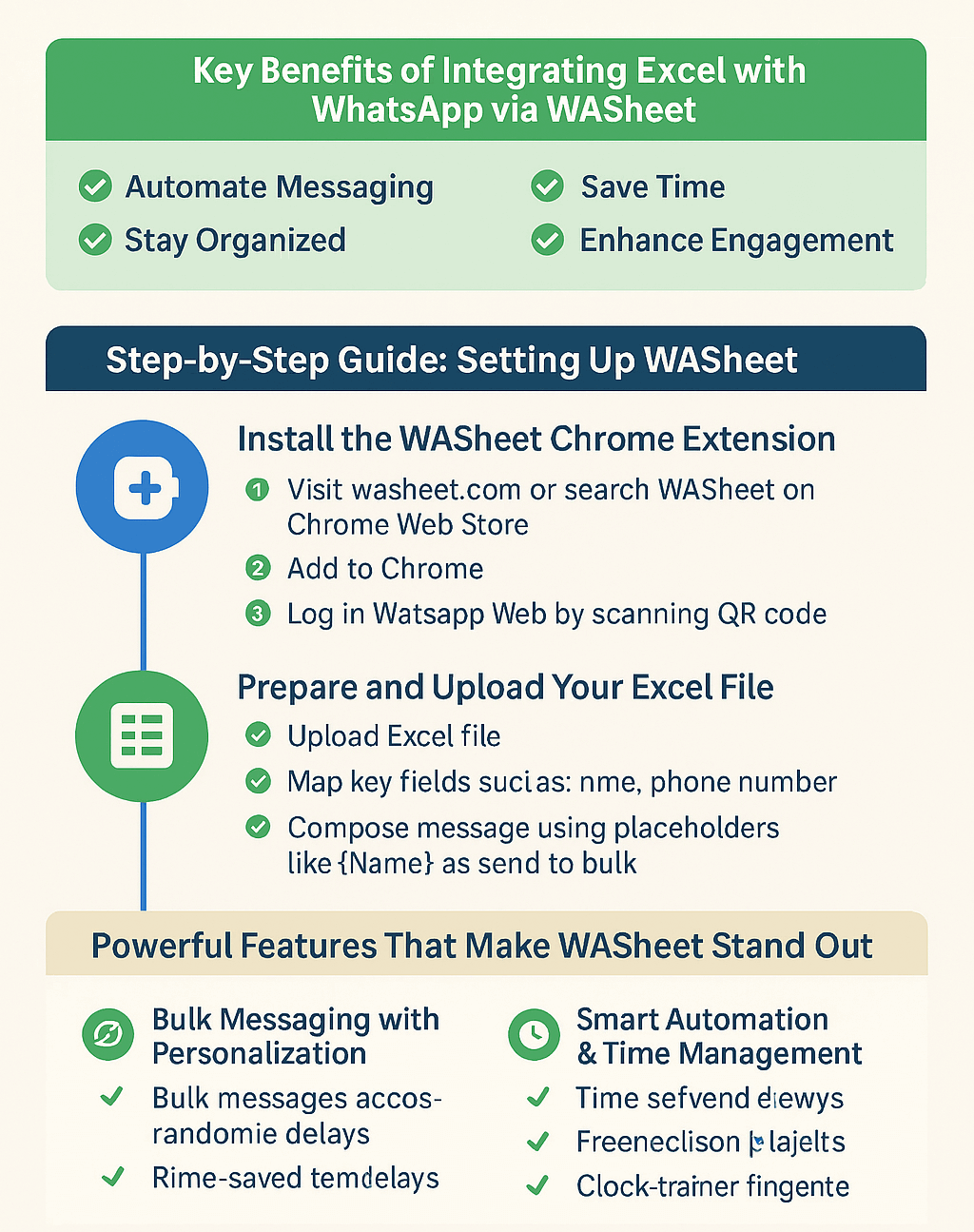
🔑 Key Benefits of Integrating Excel with WhatsApp via WASheet
Automate Messaging: Send hundreds of personalized WhatsApp messages directly from Excel.
Save Time: No more manual copy-paste or switching between apps.
Stay Organized: Keep all contacts, messages, and notes in a structured Excel format.
Enhance Engagement: Send tailored messages that feel human, not spammy.
Step-by-Step Guide: Setting Up WASheet
Step 1: Install the WASheet Chrome Extension
- Visit washeet.com or search WASheet on the Chrome Web Store.
- Click “Add to Chrome” to install the extension.
- Launch WhatsApp Web and log in by scanning the QR code with your phone.
- Once installed, WASheet syncs with WhatsApp Web to begin sending messages from your Excel data.
Step 2: Prepare and Upload Your Excel File
- Open the WASheet interface.
- Upload your Excel file (.xlsx format).
- Map key fields such as:
- Name
- Phone Number (with country code)
- Order ID or any custom field
- Compose your message using dynamic placeholders like {Name}, {OrderID} for personalization.
📲 How WASheet Works Behind the Scenes
WASheet pulls data from each row in your Excel file and generates a personalized message for every contact. When you hit Send, it opens WhatsApp Web in the background and dispatches each message using your logged-in account.
✨ Powerful Features That Make WASheet Stand Out
✅ Bulk Messaging with Personalization
Unlike mass message spamming, WASheet enables:
Hyper-personalized content using dynamic tags.
Recipient-specific messages that feel 1-on-1.
Example:
“Hi {Name}, your order {OrderID} has been dispatched. Thank you!”
🧠 Smart Automation & Time Management
Pre-Saved Templates: Save frequently sent messages for quick use.
Timed Sending: Add randomized delays between messages to avoid spam detection.
Attachment Support: Send images, invoices, or product catalogs right from Excel rows.
📊 Message Tracking & Analytics
- Track and optimize your outreach with:
- Delivery Status Reports
- Failed Delivery Alerts
- Contact Click Tracking (in future updates)
- Get visibility into what’s working and what’s not—then iterate.
🧩 Use Cases for Businesses
Customer Support: Automatically send order confirmations, follow-ups, or FAQs.
Marketing Campaigns: Segment leads in Excel and send curated offers.
Team Communication: Instantly notify internal teams with bulk messages.
🔒 Best Practices for Using WASheet Safely and Professionally
Data Security & Compliance:
- All messages are sent from your personal WhatsApp no third-party servers involved.
- Your Excel data stays local and secure.
Security Tips:
- Use strong passwords on your devices.
- Enable 2FA on WhatsApp.
- Keep browser extensions updated.
Messaging Etiquette
Timing Matters: Respect recipient hours.
Tone of Voice: Be courteous and concise.
Avoid Spamming: Personalize and keep frequency in check.
❓ Frequently Asked Questions (FAQs)
Q1. Do I need to download WhatsApp Desktop?
No. WASheet works seamlessly with WhatsApp Web via your browser.
Q2. Can I send messages internationally?
Yes. Just ensure phone numbers include the correct country code in Excel.
Q3. Will my WhatsApp get blocked?
WASheet adds random time delays and encourages personalized messaging to avoid spam detection. Avoid sending identical messages in large volumes.
Q4. Is WASheet compatible with Mac and Windows?
Absolutely. As long as you’re using a supported browser, you’re good to go.
🚀 Conclusion: Excel + WhatsApp = Game-Changing Communication
With WASheet, you don’t need to be tech-savvy to automate your WhatsApp outreach. Whether you’re a solopreneur, marketer, or business owner, this integration can save hours, improve customer engagement, and streamline your daily communication.
Ditch the manual processes let WASheet do the heavy lifting while you focus on growth.