
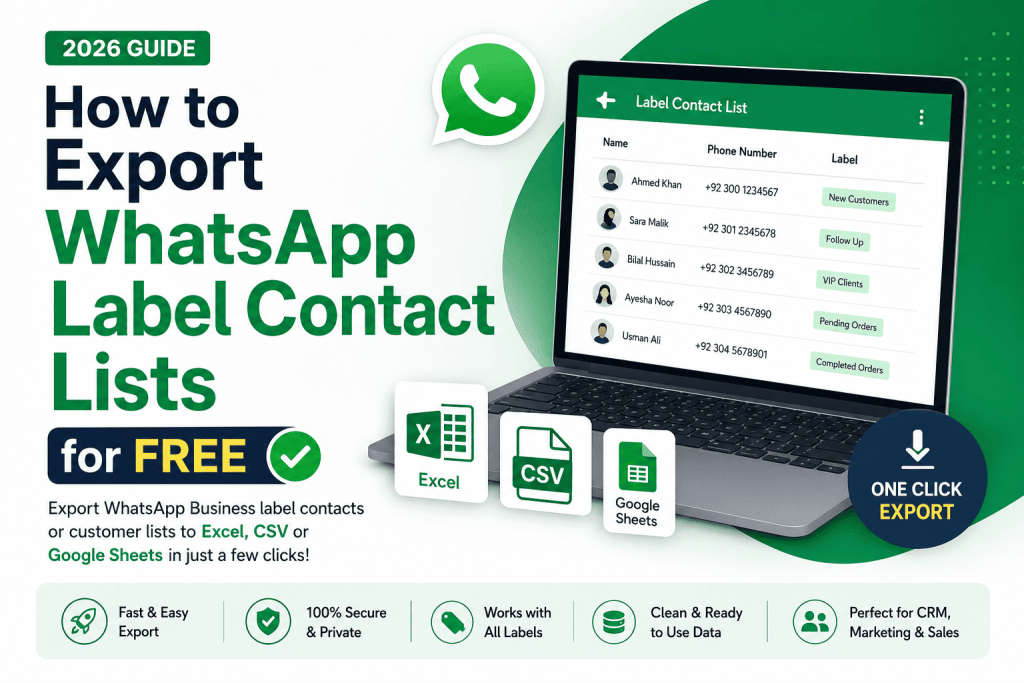
Export WhatsApp contacts, labels, and broadcast lists to Excel, CSV, or Google Sheets for free with WASheet no coding, no manual copy-paste, works with WhatsApp Business.
Whether you want to export all your WhatsApp contacts, a specific broadcast list, or contacts labeled in WhatsApp Business, WASheet lets you download them to Excel, CSV, or Google Sheets for free no coding or manual copy-paste required.
Looking for the easiest way to export WhatsApp label contacts, download WhatsApp label contact lists, or save your WhatsApp Business customer lists to Excel, CSV, or Google Sheets? This guide shows you exactly how to do it using WASheet Extension.
Managing customer labels in WhatsApp Business is one of the easiest ways to organize leads, clients, and follow-ups. However, many users eventually need to export those labeled contacts into Excel, CSV, or Google Sheets for CRM management, marketing campaigns, reporting, or backups.
Quick Answer: To export WhatsApp contacts for free, install the WASheet Chrome extension, open WhatsApp Web, go to Contact Import + Check, choose a label, list, or all contacts, and click Download. WASheet exports directly to CSV, Excel, or Google Sheets in seconds.
Why Export WhatsApp Label Contacts?
WhatsApp Business Labels help categorize conversations, but they don’t provide a built-in option to export contacts. Exporting your labeled customers allows you to:
- Create customer backups
- Import contacts into CRMs
- Build targeted marketing lists
- Analyze customer segments
- Share customer databases with your team
- Organize sales pipelines
- Prepare contacts for Google Sheets or Excel
Instead of copying numbers manually, you can export everything in just a few clicks.
Watch the below youtube video to Learn How to Export or Download WhatsApp Label Contacts to Excel:
How to Export WhatsApp Label Contacts (Step-by-Step)
Follow these simple steps using WASheet.
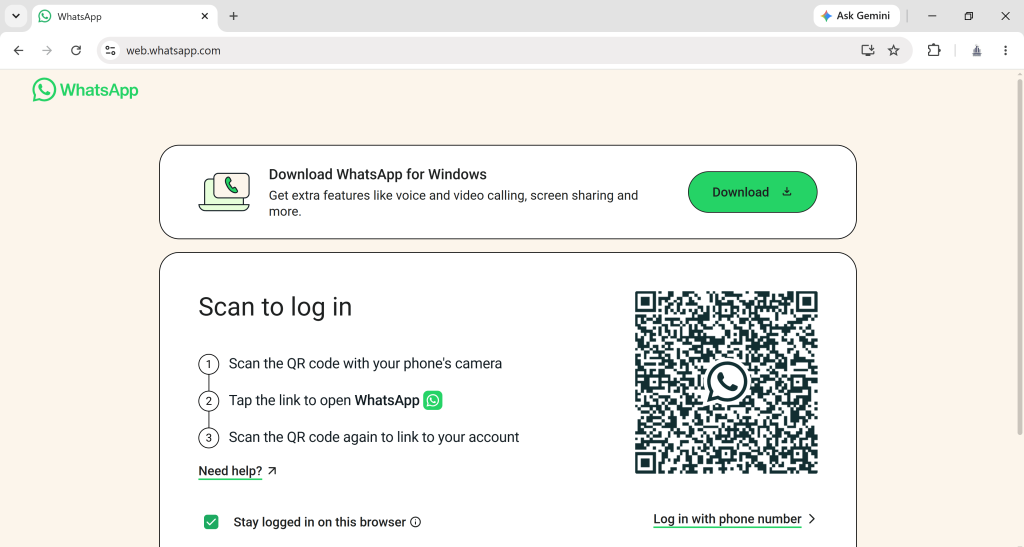
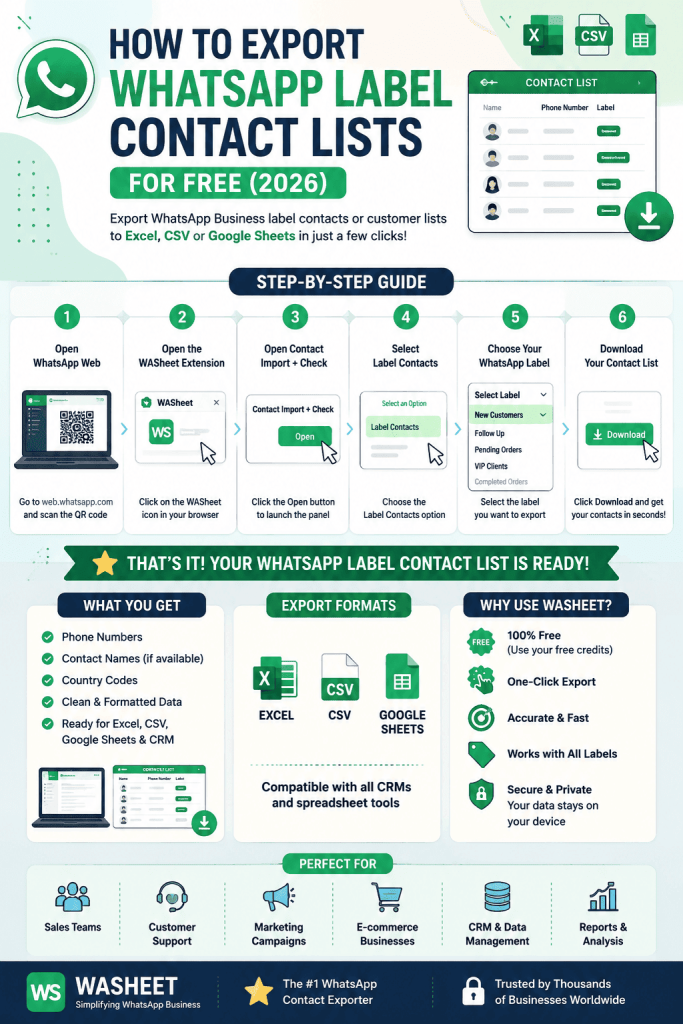
Step 1: Open WhatsApp Web
Log in to your WhatsApp Business or personal account through WhatsApp Web.
Step 2: Install the WASheet Chrome Extension
Install the WASheet extension from WASheet official site.
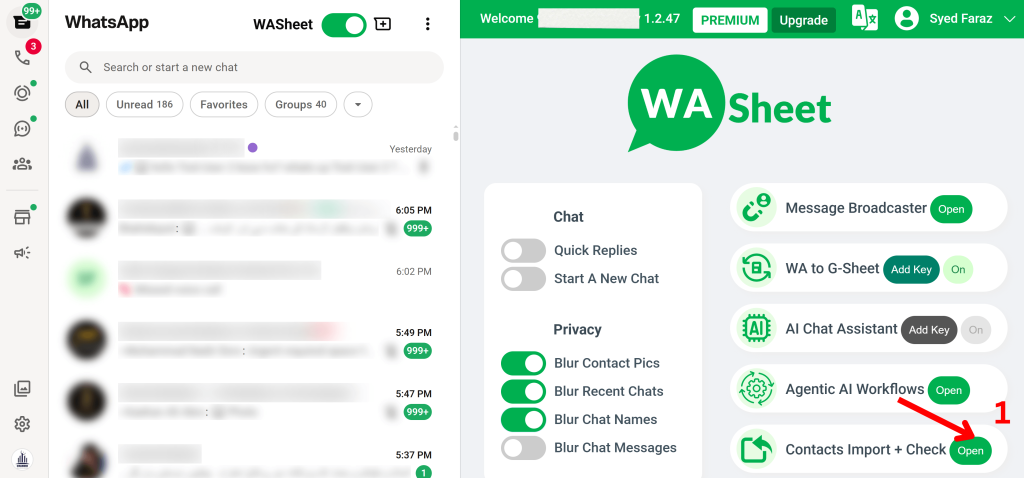
Step 3: Open Contact Import + Check
Inside WASheet, locate Contact Import + Check and click Open.
Step 4: Select “Label Contacts”
The WASheet panel will display multiple export options.
Choose:
Label Contacts
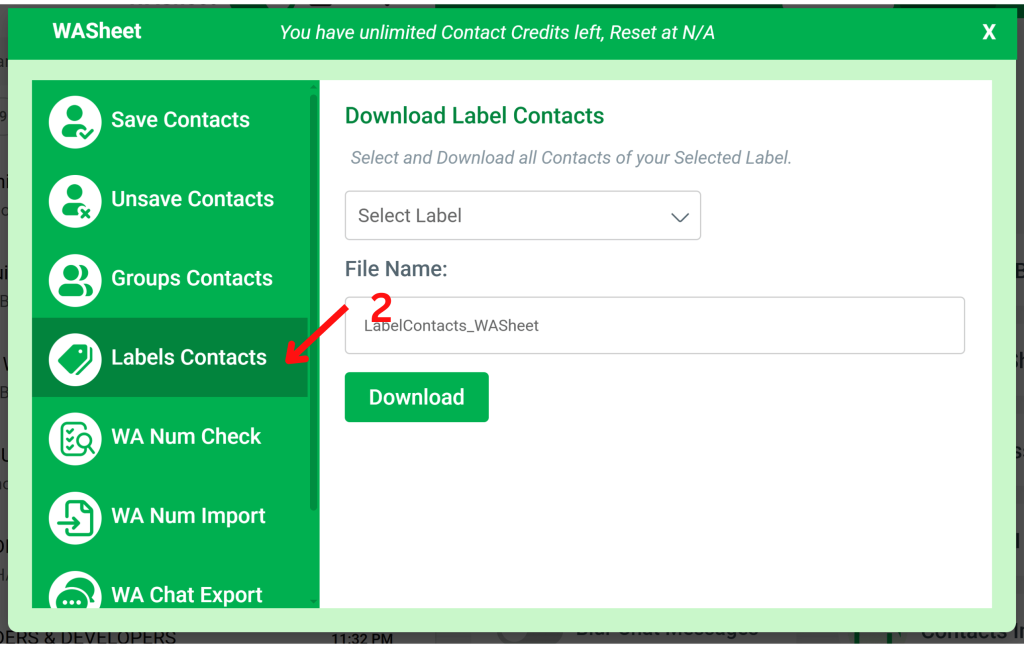
Step 5: Choose Your WhatsApp Business Label or List
Select the label or list you want to export from the dropdown menu.
Examples include:
- New Customers
- Follow Up
- Paid Orders
- Pending Payments
- VIP Clients
- Completed Orders
Step 6: Download Your Contacts
Click Download.
Within seconds, WASheet generates a clean export file containing every contact assigned to that label.
No coding, no browser dev tools, no manual copy-paste.
What Information Is Included?
The exported file typically contains:
- Phone Numbers
- Contact Names (when available)
- Country Codes
- International Number Formatting
- Clean CSV Structure
- Excel-Compatible Data
- Google Sheets Compatible Format
The exported data is immediately ready for CRM imports, reporting, or customer management.
Also Read: How to Export WhatsApp Group Contacts
Export Formats Supported
WASheet supports exporting WhatsApp label contacts into formats commonly used by businesses.
Supported formats include:
- CSV
- Excel
- Google Sheets
- CRM-ready spreadsheets
This makes it easy to continue working with your customer database without additional formatting.
Why Businesses Export WhatsApp Label Contacts
Businesses rely on labels to organize customers throughout the sales journey.
Common use cases include:
Sales Teams
Export qualified leads for follow-up campaigns.
Customer Support
Maintain organized customer records.
Marketing Agencies
Build segmented messaging lists.
E-commerce Stores
Track buyers based on order status.
Freelancers
Manage client communication efficiently.
CRM Migration
Transfer customer data into platforms like HubSpot, Zoho, Salesforce, Airtable, and other CRM systems.
Why Choose WASheet?
There are many WhatsApp tools available, but WASheet focuses on making contact management simple, accurate, and fast.
Fast One-Click Export
Export hundreds or thousands of labeled contacts in seconds.
Clean Contact Data
Numbers are automatically formatted for Excel, Google Sheets, and CRM platforms.
Works with WhatsApp Business Labels & List
Export contacts directly from your existing label categories without manually opening chats.
No Technical Skills Required
Everything is handled through a simple visual interface.
Privacy First
Your exported data remains on your own computer. WASheet does not require copying conversations or using complicated browser developer tools.
Frequently Asked Questions
How do I export WhatsApp Business label contacts list?
Open WhatsApp Web, launch WASheet, go to Contact Import + Check, choose Label Contacts, select your label, and download the contacts as a CSV or Excel file.
Can I export WhatsApp label contacts for free?
Yes. WASheet provides a simple way to export WhatsApp Business label contacts without manually copying phone numbers.
Can I export WhatsApp label contacts to Excel?
Yes.
After downloading your contacts, simply open the exported CSV file in Microsoft Excel or choose the Excel export option when available.
Can I export WhatsApp label contacts to Google Sheets?
Absolutely.
Upload the exported CSV file directly into Google Sheets to organize, filter, or collaborate with your team.
Does WhatsApp Business include an export option?
No.
WhatsApp Business currently does not provide a built-in feature to export contacts from labels, which is why many users use tools like WASheet.
What is a WhatsApp contact extractor?
A WhatsApp contact extractor is a tool that collects contact information from WhatsApp sources such as:
- Labels
- Groups
- Chats
- Customer lists
The extracted information can then be saved into structured formats like CSV or Excel.
What file format is best for CRM imports?
CSV is the most widely supported format and works with platforms including:
- HubSpot
- Salesforce
- Zoho CRM
- Airtable
- Google Sheets
- Microsoft Excel
Can I export thousands of label contacts?
Yes.
WASheet is designed to handle both small and large contact lists efficiently, making it suitable for businesses managing extensive customer databases.
Is exporting WhatsApp label contacts safe?
Yes.
When using trusted software like WASheet, your exported files remain on your device, giving you full control over your customer data.
Final Thoughts
If you regularly organize customers using WhatsApp Business Labels, exporting those contacts can save hours of manual work while keeping your customer database accurate and up to date.
WASheet streamlines the entire process by allowing you to export WhatsApp label contacts list into clean, structured CSV or Excel files that are ready for Google Sheets, CRM platforms, reporting tools, or future campaigns.
Whether you’re a small business owner, marketer, customer support representative, or sales professional, WASheet provides one of the fastest and most efficient ways to manage WhatsApp Business contacts in 2026.
Instead of spending time copying phone numbers one by one, you can organize, export, and use your customer data in just a few clicks making your workflow more productive and scalable.