
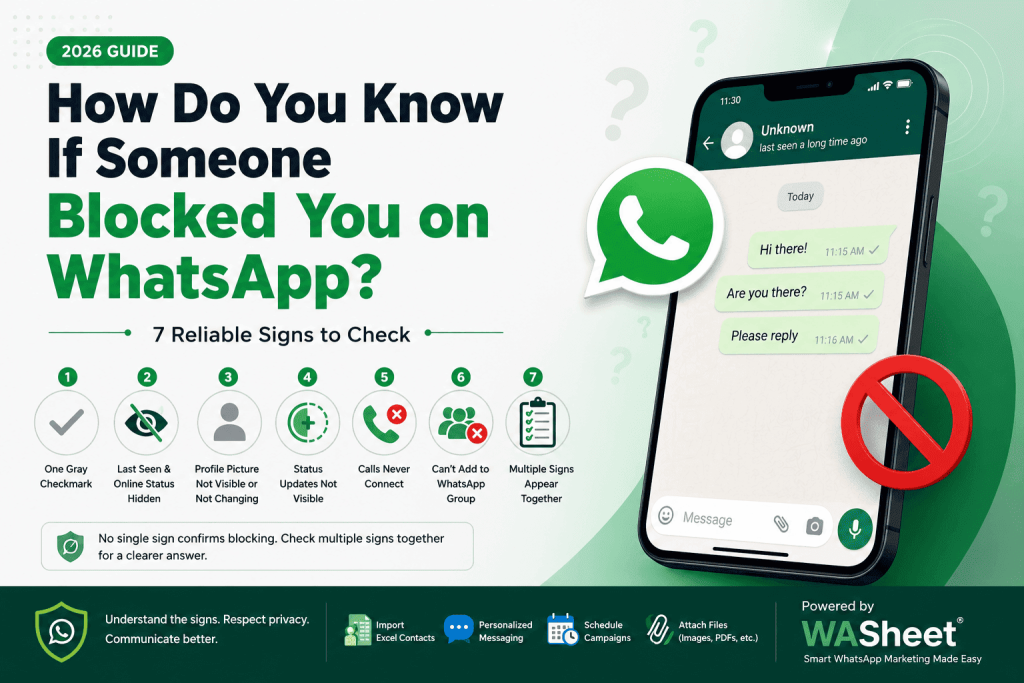
Wondering if someone blocked you on WhatsApp? Learn the most reliable signs, including message checkmarks, calls, profile changes, and the group test to find out.
Have you sent a WhatsApp message that never gets delivered? Maybe you can no longer see someone’s profile picture or last seen status. It’s natural to wonder whether you’ve been blocked.
The truth is that WhatsApp never tells you when someone blocks you. This is intentional because the platform protects users’ privacy. Instead of sending a notification, WhatsApp leaves several subtle clues that, when combined, can help you determine whether someone has blocked you.
In this guide, you’ll learn the most reliable ways to know if someone blocked you on WhatsApp, understand what each sign means, and discover the differences between being blocked and normal privacy settings.
Quick Answer: No single sign can confirm that someone blocked you on WhatsApp. However, if your messages stay on one gray checkmark, you can’t see their profile updates, calls never connect, and you can’t add them to a group, there’s a strong possibility you’ve been blocked.
Key Takeaways
- WhatsApp never notifies users when they are blocked.
- One gray checkmark for a long time can be a warning sign.
- Missing profile photo, last seen, and status updates may indicate blocking.
- WhatsApp calls usually fail or never connect if you’re blocked.
- The group invitation test is one of the strongest indicators.
- Always consider privacy settings and technical issues before reaching a conclusion.
How WhatsApp Blocking Works
When someone blocks you on WhatsApp, the app limits how you interact with that contact.
After you’re blocked:
- Your messages won’t be delivered.
- Your WhatsApp calls won’t connect.
- You won’t see updates to their profile photo.
- Their last seen and online status become hidden.
- You can’t view future Status updates.
- You cannot add them to a new WhatsApp group.
However, blocking doesn’t delete your previous conversation. Your existing chat history remains on your phone.
8 Signs Someone May Have Blocked You on WhatsApp
No individual sign proves you’ve been blocked. Instead, look for multiple indicators together.
1. Your Messages Stay on One Gray Checkmark
This is one of the most common signs.
WhatsApp message ticks mean:
| Checkmark | Meaning |
|---|---|
| ✓ One gray tick | Message sent to WhatsApp server |
| ✓✓ Two gray ticks | Message delivered |
| ✓✓ Blue ticks | Message read (if read receipts are enabled) |
If every message you send remains on one gray checkmark for several days, your messages aren’t reaching the recipient’s phone.
Possible reasons include:
- They blocked you
- Their phone is switched off
- No internet connection
- They uninstalled WhatsApp
- Temporary server issues
If this happens together with other signs below, blocking becomes much more likely.
2. You Can’t See Their Last Seen or Online Status
Normally, WhatsApp shows when a person was last active or whether they’re currently online.
If this information suddenly disappears, you might think you’ve been blocked.
However, there are several other explanations:
- They disabled Last Seen in Privacy Settings.
- They share Last Seen with contacts only.
- They excluded you using WhatsApp privacy controls.
- Your own privacy settings prevent you from seeing theirs.
Because of these possibilities, missing Last Seen alone isn’t enough proof.
What Makes This Sign Stronger?
If you also notice:
- One gray checkmark
- Missing profile picture
- Failed calls
the evidence becomes much stronger.
3. Their Profile Picture Never Changes
Another common clue involves profile photos.
If someone blocks you:
- Future profile picture updates become invisible.
- You may continue seeing an older cached image.
- Sometimes the picture disappears completely and shows the default avatar.
However, this does not always mean blocking.
Other reasons include:
- They removed their profile photo.
- Their privacy settings hide it.
- You’re no longer saved in their contacts.
- They simply haven’t changed it recently.
Look for additional indicators before assuming you’ve been blocked.
4. You Can’t See Their WhatsApp Status Updates
WhatsApp Status lets users share photos, videos, and text that disappear after 24 hours.
If someone blocks you:
- New Status updates won’t appear.
- Existing Status posts disappear from your view.
- You won’t receive future Status visibility.
Again, remember:
Not seeing someone’s Status could simply mean:
- They didn’t post anything.
- Their privacy settings exclude you.
- They limited Status visibility.
Combine this clue with others for better accuracy.
5. WhatsApp Calls Never Connect
Voice and video calls can provide another useful clue.
If you’ve been blocked:
- Calls may ring briefly then disconnect.
- Calls may never ring.
- They never connect successfully.
- The other person doesn’t receive your call.
Other causes include:
- Poor internet connection
- Airplane Mode
- Phone turned off
- Do Not Disturb
- Network outage
Repeated failed calls together with undelivered messages often indicate blocking.
6. You Can’t Add Them to a WhatsApp Group
This is considered one of the strongest tests.
How to Check
- Create a new WhatsApp group.
- Try adding the contact.
- Watch for the result.
If WhatsApp displays a message similar to:
“Couldn’t add this participant.”
or
“You aren’t authorized to add this contact.”
there’s a high chance they’ve blocked you.
Unlike profile pictures or Last Seen, this test isn’t usually affected by privacy settings.
7. The Delete-and-Re-Add Test (Most Reliable Method)
If you’ve gone through the signs above and you’re still not sure, this test comes closest to a definitive answer.
How it works: When someone blocks you, WhatsApp freezes your view of their profile at the exact moment they blocked you. You’ll never see their future profile picture updates — you’re stuck with whatever you could see last. Deleting and re-adding the contact forces WhatsApp to refresh that connection, which exposes whether you’re actually blocked.
Steps:
- Open your phone’s Contacts app (not WhatsApp) and delete the contact.
- Close WhatsApp completely and reopen it.
- Re-add the same number as a new contact.
- Open a new chat with them and check their profile.
What it means:
- Likely blocked: Their profile picture stays blank or generic, and you still can’t see Last Seen or Status, even after re-adding them fresh.
- Probably not blocked: Their personal profile picture reappears, and you can see updated info.
This test is quiet it doesn’t notify the other person, doesn’t touch your existing chat history, and doesn’t break any privacy rules. It’s simply refreshing what WhatsApp is willing to show you.
Note: This test isn’t 100% guaranteed either. If they’ve set their profile visibility to “My Contacts” and you’re no longer in their phone’s address book for any reason (not just blocking), you’d see the same result. But combined with the group test, it’s about as close to certainty as you’ll get without WhatsApp confirming it directly.
8. Several Signs Appear Together
The biggest mistake people make is relying on a single clue.
Instead, ask yourself:
✅ Messages stuck on one gray tick?
✅ No profile picture updates?
✅ Can’t see Last Seen?
✅ Calls fail?
✅ Can’t add them to a group?
If you answered yes to most of these questions, you’ve likely been blocked.
Signs That Do Not Always Mean You’re Blocked
Many WhatsApp features now have advanced privacy controls.
Someone may hide information without blocking you.
Here are common misconceptions.
| Sign | Could Be Blocking? | Could Be Privacy Settings? |
|---|---|---|
| Hidden Last Seen | ✅ | ✅ |
| Missing Profile Photo | ✅ | ✅ |
| No Status Updates | ✅ | ✅ |
| One Gray Tick | ✅ | ❌ |
| Failed Calls | ✅ | Sometimes |
| Can’t Add to Group | ✅ Strong Evidence | Rarely |
This is why checking multiple signs is always recommended.
Blocked, Deleted Their Account, or Switched Numbers? How to Tell the Difference
These three situations look almost identical from your side of the chat, but they’re not the same thing and each call for a different response.
| Scenario | Profile Picture | Last Seen | Messages | Group Add |
|---|---|---|---|---|
| They blocked you | Frozen/blank, never updates | Hidden | Stuck on one grey tick, forever | Fails with an error |
| They deleted WhatsApp | Disappears entirely | Shows “N/A” or nothing | Stuck on one grey tick | Fails, but often with a different or no error |
| They switched numbers | Disappears (old number no longer theirs) | Unavailable | Delivered to whoever now has that number | Succeeds — you just added a stranger |
| Privacy settings only | May be hidden | Hidden | Delivered normally (two grey ticks, or blue if read receipts on) | Succeeds normal |
The fastest way to tell them apart:
- If messages deliver (two ticks) but you can’t see their photo or Last Seen → privacy settings, not blocking.
- If messages never move past one tick and the group-add fails and the delete-and-re-add test shows no change → blocked.
- If their number shows up in WhatsApp with a “not on WhatsApp” style prompt, or a totally unfamiliar name starts showing on that number → they deleted their account or changed numbers, not blocked you specifically.
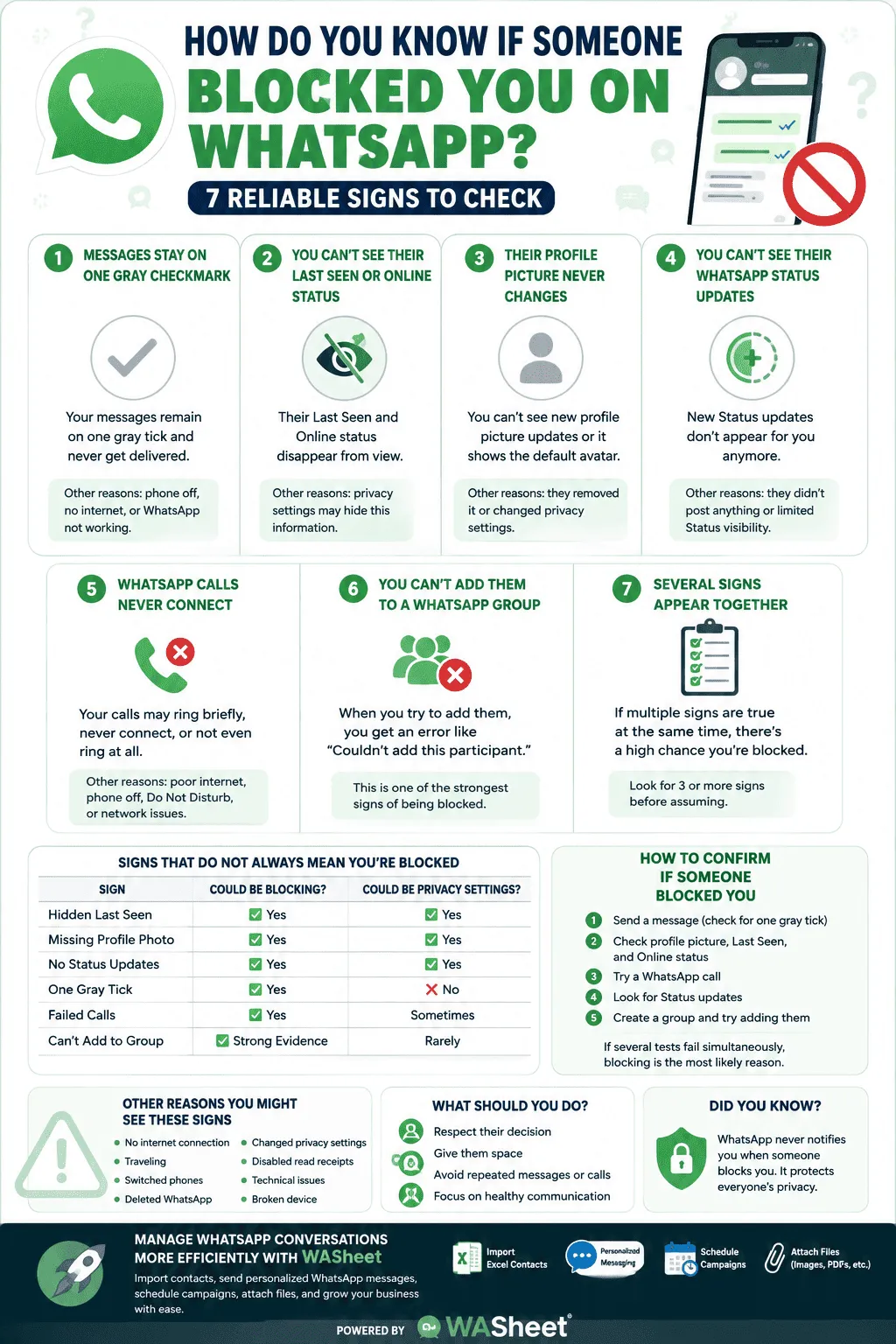
How to Confirm If Someone Blocked You
If you genuinely want to know, follow this checklist.
Step 1
Send a message.
Does it stay on one gray tick?
Step 2
Check:
- Profile picture
- Last Seen
- Online status
Step 3
Try a WhatsApp call.
Step 4
Look for recent Status updates.
Step 5
Create a group and try adding them.
If several tests fail simultaneously, blocking becomes the most likely explanation.
Other Reasons You Might See These Signs
Don’t jump to conclusions.
The contact may simply:
- Have no internet connection
- Be traveling
- Have switched phones
- Deleted WhatsApp
- Changed privacy settings
- Disabled read receipts
- Be experiencing technical issues
- Have a broken device
These situations often produce the same symptoms as blocking.
What Should You Do If You Think You’ve Been Blocked?
If someone has blocked you, the best approach is to respect their decision.
Avoid:
- Sending repeated messages.
- Calling multiple times.
- Creating fake accounts to contact them.
- Asking friends to message them on your behalf.
Instead:
- Give them space.
- Respect their privacy.
- Focus on healthy communication with people who want to engage.
Remember, WhatsApp includes blocking to help users control who can contact them.
Checking If a Customer Blocked Your WhatsApp Business Number
If you’re messaging customers or leads through WhatsApp for business, being blocked isn’t just personal it directly affects your reach and, over time, your number’s delivery reputation.
The same core signs apply (single grey tick, no Last Seen, failed calls), but a few things are specific to business use:
- Watch it across your list, not one contact. A single blocked contact is normal churn. A pattern of many contacts suddenly stuck on one grey tick usually points to something else you may be getting flagged as spam rather than individually blocked, which is a different problem with a different fix.
- Check delivery status in bulk, not one chat at a time. If you’re sending outreach or follow-ups through WASheet, you can see delivery status across your whole contact list at a glance instead of opening each chat individually which makes spotting real blocks (versus a temporary delivery issue) much faster.
- Don’t test the delete-and-re-add trick on business contacts at scale. It’s fine for checking one personal contact, but re-adding customer numbers one by one isn’t practical and repeatedly deleting/re-adding numbers can itself look like unusual account activity to WhatsApp.
- If it’s a genuine pattern, the fix usually isn’t chasing individual blocked numbers it’s reviewing your messaging frequency, personalization, and opt-in practices, since that’s usually what triggers blocks (and spam reports) at scale in the first place.
Managing WhatsApp Conversations More Efficiently with WASheet
Whether you’re managing customer conversations, sending personalized follow-ups, or organizing WhatsApp contacts, Washeet helps businesses streamline WhatsApp communication without the hassle of manual work.
With Washeet, you can:
- Import and Export contacts from Excel spreadsheets.
- Send personalized bulk WhatsApp messages at scale.
- Schedule campaigns.
- Attach images, PDFs, and documents.
- Improve communication while staying organized.
Whether you’re a marketer, educator, recruiter, or small business owner, Washeet helps you manage WhatsApp outreach more efficiently.
Frequently Asked Questions
Can WhatsApp tell me if someone blocked me?
No. WhatsApp never sends a notification when someone blocks you.
Does one gray checkmark always mean I’m blocked?
No. It can also mean the recipient’s phone is offline, disconnected from the internet, or WhatsApp is temporarily unavailable.
Can I still call someone who blocked me?
You can attempt the call, but it usually won’t connect, and the recipient won’t receive a notification.
Can I see old messages after being blocked?
Yes. Blocking doesn’t delete your previous chat history.
Can I see their profile picture if they blocked me?
Usually, no. You’ll stop seeing future profile photo updates, although an older cached photo may remain visible.
Can I see their online status after being blocked?
No. Their online and Last Seen information becomes unavailable to you.
Can I still be in the same WhatsApp group?
Yes. Blocking only affects direct communication. You can still see each other’s messages inside shared group chats.
Does deleting my WhatsApp account remove someone else’s block?
No. If another user blocked you, deleting your account doesn’t remove their block.
Is the group invitation test reliable?
Yes. It’s widely considered one of the strongest indicators because WhatsApp usually prevents blocked users from adding the contact to a new group.
How many signs should I look for before assuming I’m blocked?
At least three or four. One missing feature alone isn’t enough because privacy settings can produce similar behavior.
Final Thoughts
There’s no single way to confirm that someone has blocked you on WhatsApp. Instead, look for a combination of signs messages stuck on one gray checkmark, missing profile updates, failed calls, hidden Last Seen, and the inability to add the person to a group.
While these indicators can strongly suggest you’ve been blocked, they can also result from privacy settings or temporary technical issues. The best approach is to avoid assumptions, respect the other person’s privacy, and focus on maintaining healthy digital communication.
If you’re using WhatsApp professionally, tools like Washeet can help you manage conversations, organize contacts, and communicate more efficiently without disrupting your workflow.