Managing conversations across dozens of WhatsApp groups can quickly become overwhelming. Whether you’re running a business, managing a school, coordinating an event, or leading an online community, important announcements often get buried beneath everyday chats.
That’s exactly why WhatsApp Communities was introduced.
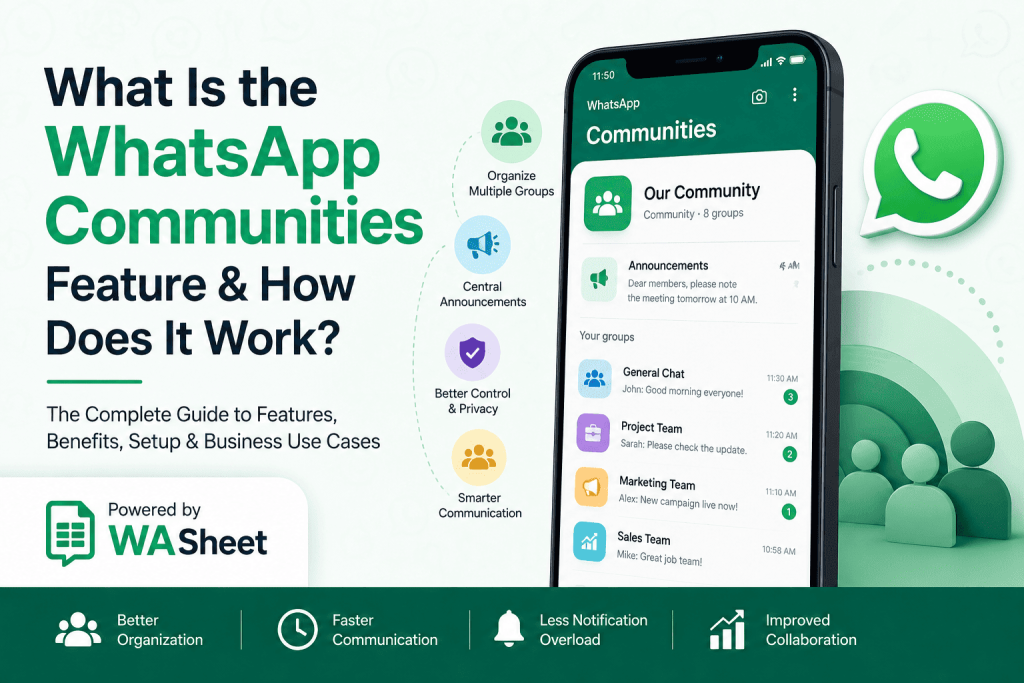
Instead of treating every WhatsApp group as a separate conversation, Communities allow you to organize multiple related groups under one central hub. Members receive important updates in a dedicated announcement space while discussions continue inside topic-specific groups.
The result is cleaner communication, better organization, improved privacy, and a much better experience for both administrators and members.
In this complete guide, you’ll learn:
- What WhatsApp Communities are
- How they work
- Key features
- WhatsApp Communities vs Groups
- Benefits and limitations
- How to create a Community
- Business and educational use cases
- Best practices
- Frequently asked questions
Whether you’re using WhatsApp Messenger or WhatsApp Business, this guide will help you understand how to make the most of Communities.
What Are WhatsApp Communities?
WhatsApp Communities are a feature that lets you bring multiple related WhatsApp groups together under one organized structure.
Instead of managing several independent groups, administrators can create one Community that acts as a central hub. Each Community can contain multiple groups dedicated to different topics, departments, projects, or teams.

For example, a school can create one Community containing groups for:
- Grade 6
- Grade 7
- Teachers
- Parents
- Sports Club
- Administration
Rather than sending the same announcement six different times, administrators can publish one update that reaches everyone through the Community’s announcement group.
This structure makes communication significantly more organized than traditional WhatsApp groups.
How Do WhatsApp Communities Work?
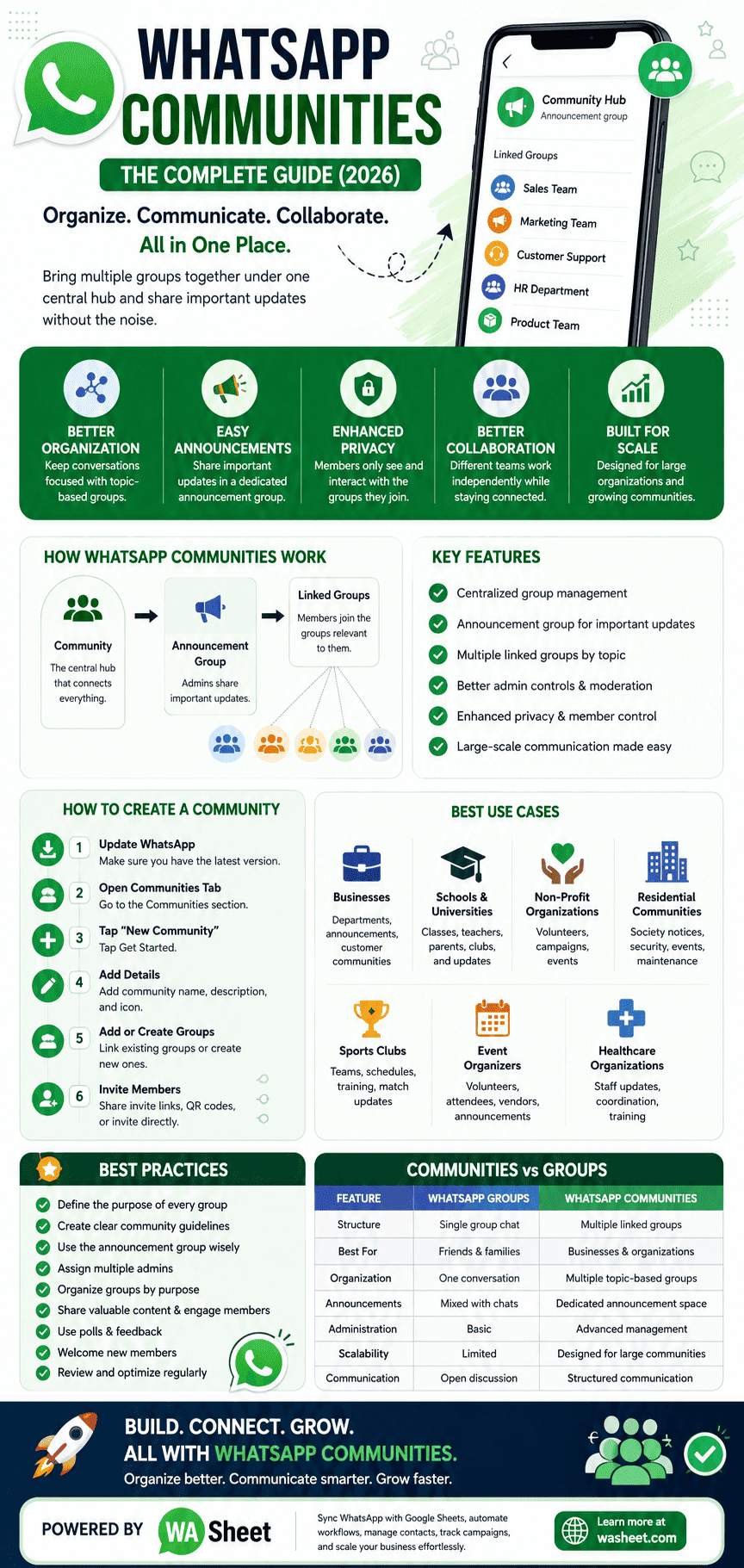
A WhatsApp Community acts like an umbrella that connects multiple related groups.
Instead of placing thousands of people into one crowded conversation, Communities separate announcements from discussions.
Every Community includes two important components:
- Announcement Group
- Linked Groups
The announcement group is reserved for admins, allowing them to share important information without unrelated replies cluttering the conversation.
Linked groups remain independent discussion spaces where members can ask questions, collaborate, and communicate with people who share the same interests or responsibilities.
This layered communication model helps reduce notification overload while ensuring that important updates are easy to find.
Key Features of WhatsApp Communities
1. Centralized Group Management
Communities make it easy to organize multiple WhatsApp groups from one place.
Instead of switching between numerous chats, administrators can manage related groups through a single Community dashboard.
This is especially useful for:
- Businesses
- Schools
- Universities
- Non-profit organizations
- Residential societies
- Event organizers
2. Announcement Group
Every Community automatically includes an announcement group.
Only Community admins can post messages here, ensuring that important updates aren’t lost among everyday conversations.
Common announcement examples include:
- Company notices
- Event reminders
- Policy updates
- Emergency alerts
- Product launches
- Holiday schedules
Members receive these updates without unnecessary discussion clutter.
3. Multiple Linked Groups
Within a Community, you can create or add existing WhatsApp groups.
Each linked group can focus on a different topic.
Examples include:
Business Community
- Sales Team
- Marketing Team
- Customer Support
- HR Department
- Product Team
School Community
- Teachers
- Parents
- Grade-wise Classes
- Student Council
- Sports Department
This structure keeps conversations relevant and organized.
4. Better Admin Controls
Community admins have more control compared to standard WhatsApp groups.
They can:
- Add or remove linked groups
- Invite members
- Manage administrators
- Share Community-wide announcements
- Moderate communication
- Update Community information
This makes Communities ideal for organizations that need structured communication.
5. Enhanced Privacy
Privacy is one of the biggest advantages of WhatsApp Communities.
Members don’t automatically see the phone numbers of everyone in the Community.
Instead, they only interact with people inside the specific groups they’ve joined.
This creates a more secure experience for businesses, schools, and public organizations.
6. Large-Scale Communication
Communities are designed for organizations that need to communicate with large audiences.
Rather than forwarding the same message across multiple groups, administrators can distribute updates from one place.
This saves time while ensuring everyone receives the same information.
WhatsApp Communities vs WhatsApp Groups
| Feature | WhatsApp Groups | WhatsApp Communities |
|---|---|---|
| Structure | Single group chat | Multiple linked groups |
| Best For | Friends and families | Businesses and organizations |
| Organization | One conversation | Multiple topic-based groups |
| Announcements | Mixed with chats | Dedicated announcement space |
| Administration | Basic | Advanced management |
| Scalability | Limited | Designed for large communities |
| Communication | Open discussion | Structured communication |
If your communication involves multiple teams, departments, or audiences, Communities provide a much better experience than managing separate groups individually.
Benefits of Using WhatsApp Communities
Better Organization
Conversations remain focused because each group serves a specific purpose.
Instead of one massive chat covering dozens of topics, every discussion has its own dedicated space.
Faster Communication
Admins only need to send important updates once.
Everyone receives the same information instantly through the announcement group.
Reduced Notification Overload
Members only receive messages that are relevant to the groups they belong to.
This creates a cleaner and less distracting messaging experience.
Improved Collaboration
Different teams can work independently while still remaining connected through one Community.
For example:
- Marketing
- Sales
- Customer Success
- Finance
- Operations
can each have their own discussions while staying informed about company-wide announcements.
Professional Communication
Businesses appear more organized when information is structured instead of scattered across multiple WhatsApp groups.
This improves both internal communication and customer engagement.
Easier Administration
Managing dozens of unrelated groups becomes much simpler.
Admins can oversee communication from a single interface, making Communities especially valuable for growing organizations.
Who Should Use WhatsApp Communities?
WhatsApp Communities are suitable for almost any organization that manages multiple groups.
Some of the most common use cases include:
Businesses
- Employee communication
- Department coordination
- Customer communities
- Product announcements
Schools and Universities
- Parent groups
- Teacher discussions
- Student clubs
- Class updates
Non-Profit Organizations
- Volunteer coordination
- Campaign management
- Event planning
Residential Communities
- Society announcements
- Security updates
- Maintenance notifications
- Community events
Sports Clubs
- Team schedules
- Match updates
- Training sessions
- Member communication
Event Organizers
- Speaker groups
- Volunteer teams
- Attendee announcements
- Vendor coordination
WhatsApp Communities for Businesses
For businesses, WhatsApp Communities can significantly improve communication with both employees and customers.
Companies often struggle with managing multiple WhatsApp groups across departments, locations, or customer segments. Communities solve this by bringing everything together in one organized structure while keeping discussions separated by purpose.
Here are some practical business use cases:
- Company-wide announcements
- Customer onboarding groups
- Product update channels
- Internal HR communication
- Franchise management
- Dealer and distributor networks
- Employee training groups
- VIP customer communities
Businesses using WhatsApp Business can further streamline operations by integrating automation tools such as WASheet, allowing them to sync contacts, manage conversations, track campaigns, and organize customer data alongside Google Sheets.
How to Create a WhatsApp Community
Setting up a WhatsApp Community takes only a few minutes. You can either create a brand-new Community or organize your existing WhatsApp groups under one central hub.
The exact interface may vary slightly depending on your device and app version, but the overall process remains the same.
Step 1: Update WhatsApp
Before creating a Community, make sure you’re using the latest version of WhatsApp or WhatsApp Business. New features and security improvements are released regularly, and older versions may not display the Community option.
Step 2: Open the Communities Tab
Open WhatsApp mobile App or Login WhatsApp Web and navigate to the Communities tab.
If you don’t already have a Community, you’ll see the option to create one.
Step 3: Tap “New Community”
Select New Community and then tap Get Started.
You’ll be asked to enter some basic information about your Community.
Step 4: Add Community Details
Choose a:
- Community name
- Description
- Community icon or logo
Your description should clearly explain what the Community is for and who should join.
For example:
“Official community for XYZ Company employees. Important announcements, department groups, HR updates, and project discussions.”
A clear description helps members understand the purpose before joining.
Step 5: Add Existing Groups or Create New Ones
Now you can:
- Link existing WhatsApp groups
- Create new groups within the Community
Many organizations organize groups by department, location, or interest.
For example, a company could include:
- Marketing
- Sales
- Customer Support
- Finance
- Human Resources
- Operations
A school could organize groups such as:
- Grade 9
- Grade 10
- Parents
- Teachers
- Sports Club
- Administration
Keeping groups focused on one topic makes discussions easier to follow.
Step 6: Invite Members
Members can join through:
- Invitation links
- QR codes
- Direct invitations from admins
Once invited, members can choose which linked groups they want to participate in, depending on the Community’s settings.
How to Manage a WhatsApp Community Effectively
Creating a Community is only the beginning. Long-term success depends on how well it’s managed.
Here are some proven practices used by successful organizations.
Define the Purpose of Every Group
Each group should have one clear objective.
For example:
✅ Customer Support
❌ Everything About Our Business
When a group tries to cover too many topics, conversations become difficult to follow.
Create Community Guidelines
Set expectations from the beginning.
Examples include:
- Stay on topic.
- Be respectful.
- Avoid spam.
- Don’t share misleading information.
- Respect members’ privacy.
- Follow company or school policies.
Pinned rules reduce confusion and help moderators manage discussions more effectively.
Use the Announcement Group Wisely
The announcement group should contain only important information.
Avoid posting:
- Daily conversations
- Casual discussions
- Repeated promotional messages
Instead, reserve it for:
- Company announcements
- Policy changes
- Emergency alerts
- Product launches
- Event reminders
- Meeting schedules
When announcements are meaningful, members are more likely to pay attention.
Assign Multiple Admins
Large Communities shouldn’t rely on a single administrator.
Assign trusted co-admins to help with:
- Approving members
- Managing discussions
- Removing spam
- Updating group information
- Monitoring activity
Shared responsibilities keep the Community active and well organized.
Organize Groups by Purpose
Instead of creating random groups, build a logical structure.
Example for an online business:
Community
- 📢 Announcements
- 🛒 Sales Team
- 🎯 Marketing
- 💬 Customer Support
- 💻 Developers
- 📦 Operations
- 📊 Management
Members immediately know where each conversation belongs.
Best Practices for Growing a WhatsApp Community
Growing a Community isn’t just about adding more members. It’s about creating an environment where people stay engaged.
Share Valuable Content
Members join Communities because they expect useful information.
Depending on your niche, share:
- Industry news
- Educational content
- Product updates
- Tips and tutorials
- Event announcements
- Exclusive offers
Value-driven content keeps members engaged over time.
Encourage Participation
Ask questions that invite discussion.
For example:
- What’s your biggest challenge this week?
- Which feature would you like us to improve?
- How has your experience been so far?
Open-ended questions encourage meaningful conversations.
Use Polls
Polls are an excellent way to gather feedback.
You can ask members about:
- Preferred meeting times
- Product ideas
- Training topics
- Event dates
- Customer satisfaction
They’re quick to answer and often generate higher engagement than text messages.
Keep Discussions Organized
If members frequently discuss unrelated topics, consider creating another linked group instead of allowing conversations to drift.
This keeps existing groups focused and makes information easier to find later.
Welcome New Members
A simple welcome message helps new members understand the Community.
Include:
- Community purpose
- Group rules
- Available groups
- Important links
- Contact information
A positive first impression encourages long-term participation.
WhatsApp Communities for Different Industries
Businesses
Businesses use Communities to improve internal communication and customer engagement.
Common examples include:
- Employee announcements
- Department coordination
- Franchise communication
- Dealer networks
- Customer education
- VIP customer groups
Schools and Educational Institutions
Educational organizations benefit from organized communication between teachers, students, and parents.
Examples include:
- Grade-wise classes
- Teacher collaboration
- Parent updates
- Examination notices
- School events
- Extracurricular activities
Healthcare Organizations
Hospitals and clinics can use Communities for:
- Staff announcements
- Department coordination
- Training updates
- Internal communication
Patient discussions involving sensitive personal information should always follow applicable privacy regulations.
Non-Profit Organizations
NGOs often manage volunteers across multiple projects.
Communities help organize:
- Fundraising campaigns
- Volunteer teams
- Regional chapters
- Event planning
- Awareness programs
Residential Communities
Housing societies can communicate efficiently about:
- Security notices
- Maintenance schedules
- Community events
- Utility updates
- Emergency alerts
WhatsApp Communities vs WhatsApp Channels
| Feature | WhatsApp Communities | WhatsApp Channels |
|---|---|---|
| Communication | Two-way discussions | One-way broadcasts |
| Group Structure | Multiple linked groups | Single update feed |
| Member Interaction | Group conversations | Emoji reactions only |
| Best For | Organizations, schools, businesses | Creators, brands, public figures |
| Collaboration | High | Limited |
If you need collaboration and discussions, Communities are the better choice.
If you only want to broadcast updates to followers, Channels are more suitable.
Limitations of WhatsApp Communities
While Communities are powerful, they’re not without limitations.
Large File Restrictions
WhatsApp limits the size of files that can be shared.
Organizations frequently sharing large documents may still need cloud storage services like Google Drive or OneDrive.
Internet Connection Required
Communities depend on a stable internet connection.
Poor connectivity can delay message delivery and media uploads.
Requires Active Moderation
Large Communities can become noisy without proper management.
Admins should regularly:
- Remove spam
- Update rules
- Monitor discussions
- Resolve conflicts
Good moderation keeps conversations productive.
Notification Overload
Even with organized groups, joining too many discussions can lead to frequent notifications.
Members should customize notification settings based on their preferences.
Privacy and Security in WhatsApp Communities
WhatsApp Communities include several privacy-focused features.
These include:
- End-to-end encryption for personal messages and group chats.
- Better control over who can join linked groups.
- Admin moderation tools to manage participation.
- Reduced exposure of phone numbers outside the groups members actually join.
However, organizations should still encourage responsible behavior.
Avoid sharing:
- Passwords
- Financial information
- Confidential business data
- Sensitive customer records
Security is strongest when technology and user awareness work together.
Common Mistakes to Avoid When Using WhatsApp Communities
Creating a WhatsApp Community is easy, but managing one effectively requires planning. Many communities become inactive or difficult to manage because of avoidable mistakes.
Here are the most common pitfalls and how to avoid them.
1. Mixing Too Many Topics in One Group
One of the biggest mistakes is allowing unrelated conversations in a single group.
For example, a business shouldn’t discuss customer support, HR updates, product launches, and marketing campaigns in one chat.
Instead, create separate groups for each function. Members will find information faster, and conversations will stay relevant.
2. Sending Too Many Announcements
The announcement group should be reserved for important updates.
If admins post promotional messages or unnecessary reminders every day, members may mute notifications or ignore future announcements.
Focus on sharing information that genuinely matters.
3. Not Defining Community Rules
Without clear guidelines, discussions can quickly become disorganized.
Create a short list of rules that covers topics such as respectful communication, spam, off-topic discussions, and acceptable content.
Pin the rules or include them in the community description so new members can easily find them.
4. Ignoring Member Feedback
Communities thrive when members feel heard.
Encourage feedback through polls, surveys, or open discussions. Listening to your audience helps you improve engagement and build trust.
5. Managing Everything Alone
As your community grows, handling everything yourself becomes difficult.
Assign trusted moderators or co-admins who can help with approving members, answering questions, and keeping discussions on track.
Expert Tips to Get the Most Out of WhatsApp Communities
If you’re using WhatsApp Communities for business, education, or large organizations, these strategies can make communication more effective.
Create a Clear Group Structure
Before inviting members, plan how your Community will be organized.
For example:
Company Community
- 📢 Announcements
- 💼 Human Resources
- 📈 Sales
- 🎯 Marketing
- 💬 Customer Support
- 💻 Development
- 📦 Operations
A well-planned structure reduces confusion and makes it easier for members to find relevant conversations.
Keep Announcements Short and Actionable
Long messages are often skipped.
Instead of writing several paragraphs, summarize the key information and include any important links or documents.
For example:
Office Closed on Friday
Our office will remain closed on Friday due to a public holiday. Regular business hours will resume on Monday.
Clear and concise messages are more likely to be read.
Review Community Activity Regularly
Monitor your Community to understand what’s working.
Pay attention to:
- Frequently asked questions
- Active groups
- Inactive groups
- Common member concerns
- Engagement levels
Use these insights to improve communication and reorganize groups if necessary.
Use Automation to Save Time
As your customer base grows, manually managing contacts, conversations, and campaign data becomes challenging.
Businesses using WhatsApp Business often integrate automation tools like WASheet to simplify repetitive tasks, including:
- Organizing customer data
- Syncing WhatsApp contacts with Google Sheets
- Tracking outreach campaigns
- Managing large contact lists
- Improving team collaboration
Automation allows your team to focus on conversations instead of administrative work.
Frequently Asked Questions About WhatsApp Communities
What is a WhatsApp Community?
A WhatsApp Community is a feature that allows you to organize multiple related WhatsApp groups under one central hub. It helps administrators manage announcements and group communication more efficiently.
How is a WhatsApp Community different from a WhatsApp Group?
A WhatsApp Group is a single chat where everyone communicates together.
A WhatsApp Community connects multiple groups while providing a dedicated announcement space for admins and keeping discussions organized by topic.
Who can create a WhatsApp Community?
Anyone with the latest version of WhatsApp or WhatsApp Business can create a Community, provided the feature is available in their region and app version.
Can I add existing WhatsApp Groups to a Community?
Yes. You can link existing groups to your Community or create new groups during setup.
Can members join only one group within a Community?
Yes. Members can participate only in the groups that are relevant to them, depending on how the Community is managed.
Are WhatsApp Communities free?
Yes. Creating and using WhatsApp Communities is free within WhatsApp and WhatsApp Business.
Is WhatsApp Community available for businesses?
Absolutely. Many businesses use Communities to communicate with employees, customers, partners, distributors, and franchise networks.
Are WhatsApp Communities secure?
WhatsApp uses end-to-end encryption for personal messages and group chats. Community admins also have moderation tools to help manage participation and maintain a safe environment.
Can I leave a group without leaving the Community?
Yes. You can leave an individual group while remaining a member of the main Community, provided you still belong to at least one linked group or remain connected through the Community.
Can I delete a WhatsApp Community?
Yes. Community admins can deactivate or delete a Community. Before doing so, it’s a good idea to inform members and back up any important information if needed.
Can multiple admins manage one Community?
Yes. Assigning multiple admins is recommended for larger Communities to help moderate discussions and manage members efficiently.
Can businesses send marketing messages through Communities?
Communities are primarily designed for announcements and organized discussions. Businesses should avoid excessive promotional messaging and follow WhatsApp’s policies to maintain a positive user experience.
What’s the best use case for WhatsApp Communities?
Communities work especially well for:
- Businesses
- Schools and universities
- Non-profit organizations
- Residential societies
- Clubs and associations
- Event organizers
- Training programs
- Customer communities
Any organization managing multiple groups can benefit from the structure Communities provide.
Final Thoughts
WhatsApp Communities have transformed the way organizations communicate at scale. Instead of juggling dozens of unrelated group chats, you can manage conversations through a single, organized hub while keeping discussions focused and announcements easy to find.
Whether you’re running a business, coordinating a school, managing a volunteer organization, or building a customer community, Communities help reduce communication overload, improve collaboration, and create a better experience for everyone involved.
The key to success isn’t simply creating a community it’s organizing groups thoughtfully, sharing meaningful updates, setting clear guidelines, and actively engaging with members.
As your community grows, combining WhatsApp Business with automation tools can help you manage contacts, track conversations, and streamline workflows without increasing manual effort.
Simplify WhatsApp Management with WASheet
Managing hundreds or thousands of WhatsApp conversations manually can be time-consuming. WASheet helps businesses organize and automate their WhatsApp workflows by syncing contact data with Google Sheets, making it easier to manage campaigns, monitor outreach, and keep customer information up to date.
Whether you’re running marketing campaigns, supporting customers, or coordinating internal teams, WASheet can help you save time and scale your communication more efficiently.
Ready to improve your WhatsApp workflow?
Try WASheet today and discover a smarter way to manage WhatsApp communication for your business.