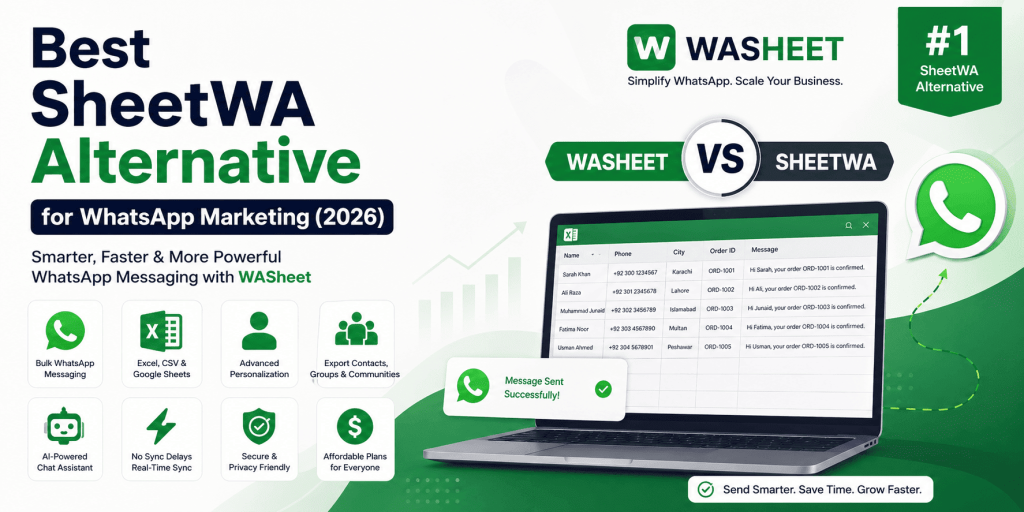
If you’re searching for the best SheetWA alternative for WhatsApp marketing, you’re likely looking for a solution that’s faster, easier to use, and packed with more features.
While SheetWA is a popular option for sending WhatsApp messages from spreadsheets, many businesses today need more than basic bulk messaging. They want personalization, automation, contact management, message templates, exports, scheduling, AI assistance, and a workflow that saves time without requiring technical knowledge.
That’s where WASheet stands out.
WASheet is an all-in-one WhatsApp productivity platform that helps businesses, marketers, sales teams, customer support agents, educators, and agencies manage WhatsApp communication efficiently using Excel, CSV files, and Google Sheets without requiring the WhatsApp Business API.

Whether you’re sending customer updates, sales follow-ups, promotional campaigns, reminders, or support messages, WASheet provides a faster and more flexible experience than traditional spreadsheet-based messaging tools.
Why Users Search for a SheetWA Alternative
Many users discover SheetWA when looking for ways to send WhatsApp messages directly from Google Sheets. While it covers the basics, growing businesses often require a more complete solution that goes beyond simple spreadsheet messaging.
As customer communication becomes more important, users typically start looking for features such as:
- Advanced message personalization
- Excel, CSV, and Google Sheets support
- Faster campaign setup
- WhatsApp contact management
- Export WhatsApp contacts and group members
- AI-powered chat assistance
- Quick reply templates
- Bulk messaging without complicated setup
- Better pricing and long-term value
- Additional productivity tools in one platform
Instead of installing multiple browser extensions for different tasks, businesses increasingly prefer a single platform that simplifies their entire WhatsApp workflow.
WASheet was built with that goal in mind.
Why WASheet Is the Better SheetWA Alternative
WASheet is designed to make WhatsApp communication easier, faster, and more productive for businesses of every size. Instead of focusing on just one feature, it combines messaging, spreadsheet integration, contact management, exports, templates, AI assistance, and productivity tools into one easy-to-use platform.
Send Bulk WhatsApp Messages from Excel, CSV & Google Sheets
One of the biggest advantages of WASheet is its flexibility.
You can launch personalized WhatsApp campaigns directly from:
- Microsoft Excel (.xlsx)
- CSV files
- Google Sheets
Simply upload your contact list, map your spreadsheet columns, write your message, preview your campaign, and start sending.
No coding.
No complex configuration.
No technical expertise required.
This simple workflow helps businesses save time while reaching hundreds or even thousands of customers with personalized messages.
Powerful Personalization That Feels Human
Customers are far more likely to respond to messages that feel personal.
Instead of sending the same generic message to everyone, WASheet automatically replaces placeholders with your spreadsheet data.
You can personalize messages using fields such as:
- Customer Name
- Company Name
- Order Number
- Invoice Number
- Appointment Date
- City
- Delivery Address
- Product Name
- Any custom spreadsheet column
Example:
Hi {{Name}}, your order #{{Order_ID}} is ready for delivery. Thank you for choosing us.
Every customer automatically receives their own personalized message without any manual editing.
This creates a much more natural conversation, improves engagement, and often leads to higher response rates.
More Than a WhatsApp Bulk Sender
Unlike tools that focus only on sending messages, WASheet has evolved into a complete WhatsApp productivity platform.
In addition to bulk messaging, WASheet offers features that help businesses organize contacts, save time, and improve daily communication.
With WASheet you can:
- Send personalized bulk WhatsApp messages
- Import contacts from Excel, CSV, and Google Sheets
- Export WhatsApp contacts
- Export WhatsApp group members
- Download WhatsApp community members
- Save chats to Excel
- Manage customer data efficiently
- Create reusable Quick Reply templates
- Organize frequently used message templates
- Blur profile pictures for privacy
- Check whether phone numbers are registered on WhatsApp
- Use AI-powered chat assistance
- Improve daily WhatsApp workflows
Instead of relying on several separate extensions, everything works together inside one platform.
Works Seamlessly with Google Sheets
Businesses frequently update customer information inside Google Sheets.
WASheet makes it easy to work with those spreadsheets while creating personalized WhatsApp campaigns using your latest customer data.
Whether you’re updating order numbers, customer names, appointment times, or delivery information, your workflow remains simple and organized.
This makes WASheet an excellent solution for sales teams, customer support departments, agencies, and growing businesses that regularly manage large contact lists.
Built for Everyday Business Productivity
WASheet is more than a tool for sending messages. It is designed to simplify everyday WhatsApp communication for businesses, freelancers, agencies, and professionals who interact with customers regularly.
Instead of manually copying phone numbers, typing repetitive messages, or switching between multiple applications, you can manage your communication from one organized workflow.
Common use cases include:
- Lead generation and sales follow-ups
- Customer onboarding
- Order confirmations
- Shipping and delivery updates
- Appointment reminders
- Payment reminders
- Customer support conversations
- Marketing campaigns
- Product launches
- Festival and seasonal greetings
- Educational notifications
- Internal business communication
Whether you are communicating with dozens or thousands of customers, WASheet helps reduce repetitive work while maintaining personalized conversations.
Easy for Beginners, Powerful for Professionals
One of the biggest reasons businesses switch from other WhatsApp messaging tools is ease of use.
WASheet is designed with a clean and intuitive interface that allows users to start working within minutes.
The setup process is straightforward:
- Install the WASheet extension.
- Open WhatsApp Web.
- Import contacts from Excel, CSV, or Google Sheets.
- Create your personalized message.
- Preview your campaign.
- Start sending.
No programming knowledge, complicated configurations, or API integration is required for standard workflows.
AI-Powered Features to Save Time
Modern customer communication goes beyond sending messages. Businesses increasingly rely on AI to respond faster, improve productivity, and maintain consistent communication.
WASheet includes AI-powered capabilities that help users:
- Generate professional replies faster
- Improve customer conversations
- Reduce repetitive typing
- Create better response templates
- Increase overall productivity
As the platform continues to evolve, new AI-powered tools are regularly introduced to improve the overall WhatsApp experience.
Manage WhatsApp Contacts More Efficiently
Managing contacts is just as important as sending messages.
WASheet includes powerful contact management features that make it easier to organize customer information and maintain accurate records.
You can:
- Import large contact lists
- Organize customer information
- Maintain updated spreadsheets
- Export contacts whenever needed
- Reuse contact lists for future campaigns
This saves valuable time for businesses that regularly communicate with recurring customers.
Import and Export WhatsApp Contacts, Groups, Chats and Communities
Unlike many messaging tools that focus only on sending messages, WASheet also helps users organize and export valuable contact information.
You can export:
- WhatsApp contacts
- WhatsApp group members
- WhatsApp community members
- Download or Export Whatsapp chats
- Customer information into Excel or CSV
These features are especially useful for businesses that maintain customer databases, marketing lists, event registrations, or internal team directories.
Quick Reply Templates for Faster Communication
If you frequently answer the same questions, Quick Reply Templates can significantly reduce response time.
Instead of typing the same message repeatedly, save commonly used responses and insert them instantly during conversations.
Examples include:
- Welcome messages
- Pricing information
- Business hours
- Order confirmation
- Support responses
- Follow-up messages
- Frequently asked questions
This improves consistency while helping support and sales teams respond much faster.
Privacy Features Designed for Daily Use
Privacy matters when working with customer information.
WASheet includes built-in privacy tools that help protect sensitive information while using WhatsApp Web.
Available privacy features include:
- Blur profile pictures
- Hide customer information when needed
- Maintain a cleaner and more secure workspace
These small productivity improvements make every day work more comfortable, especially in shared office environments.
Works with Personal and WhatsApp Business Accounts
WASheet is compatible with both:
- Personal WhatsApp accounts
- WhatsApp Business accounts
This flexibility allows freelancers, consultants, agencies, retailers, educational institutions, healthcare providers, and enterprises to use the same platform without changing their existing workflow.
Flexible Pricing for Individuals and Businesses
WASheet offers flexible pricing plans designed for different messaging requirements.
- Free Plan — 100 credits
- Basic Plan — 1,500 credits per month
- Premium Plan — Unlimited credits
- Lifetime Plan — One-time payment with lifetime access
This allows users to start with a free plan and upgrade only when their business grows.
Whether you send a few messages each week or run large-scale campaigns every day, there is a plan suitable for your needs.
Why Businesses Prefer WASheet
Businesses today want more than a basic WhatsApp sender.
They need one platform that combines messaging, spreadsheet integration, personalization, contact management, exports, AI assistance, templates, and productivity tools.
Instead of juggling multiple browser extensions, WASheet brings everything together in one easy-to-use solution.
This saves time, improves workflow efficiency, reduces manual work, and helps teams communicate with customers more effectively.
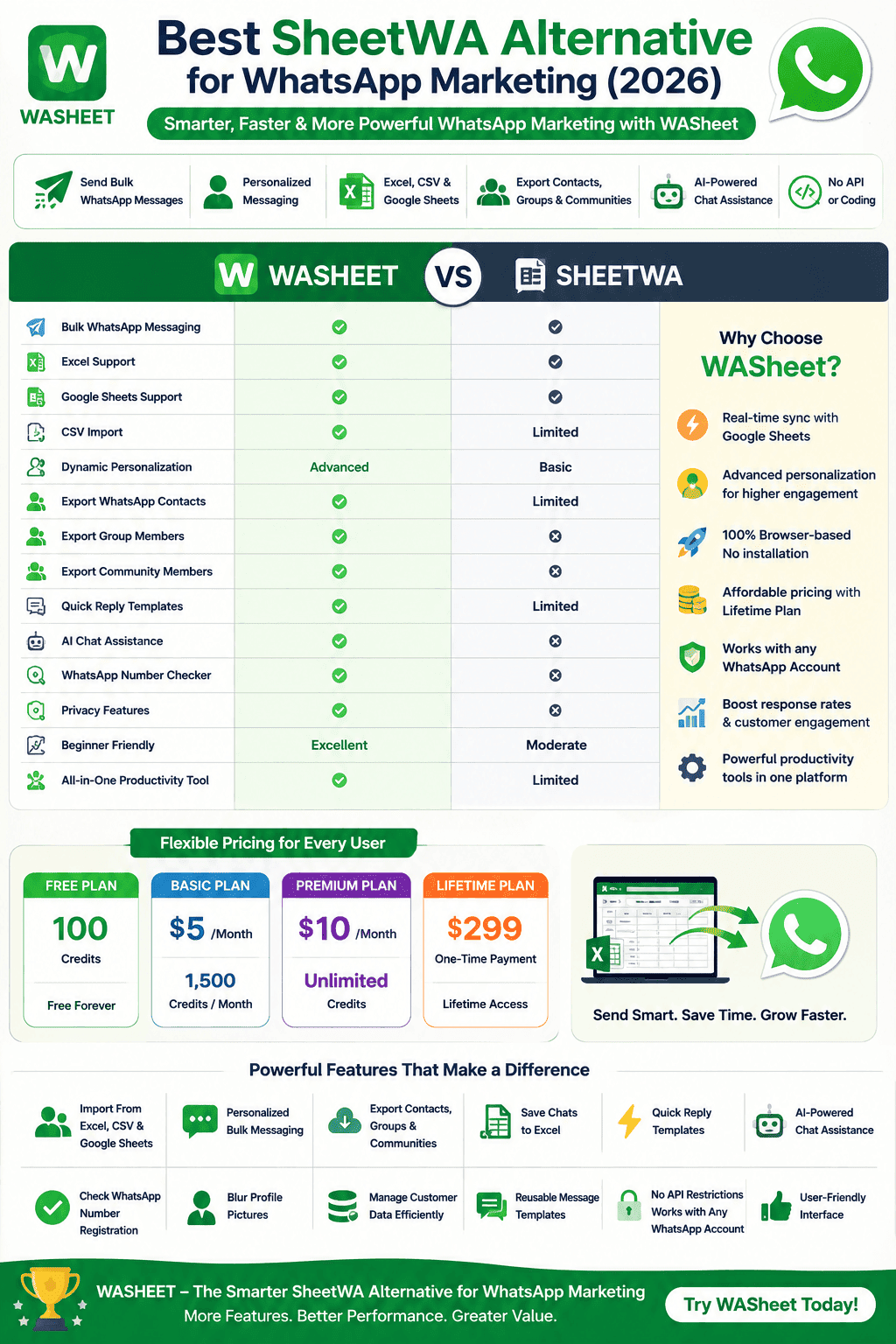
WASheet vs SheetWA Comparison
Choosing the right WhatsApp productivity tool depends on your workflow, required features, and long-term business goals. While both platforms help users send WhatsApp messages from spreadsheets, WASheet has expanded into a more comprehensive solution that combines messaging, contact management, exports, AI assistance, and productivity tools in one place.
| Feature | WASheet | SheetWA |
|---|---|---|
| Bulk WhatsApp Messaging | ✅ | ✅ |
| Google Sheets Integration | ✅ | ✅ |
| Excel (.xlsx) Support | ✅ | ✅ |
| CSV Import | ✅ | Limited |
| Dynamic Message Personalization | Advanced | Basic |
| Export WhatsApp Contacts | ✅ | Limited |
| Export WhatsApp Group Members | ✅ | ❌ |
| Export Community Members | ✅ | ❌ |
| Quick Reply Templates | ✅ | Limited |
| AI Chat Assistance | ✅ | ❌ |
| WhatsApp Number Checker | ✅ | ❌ |
| Privacy Features | ✅ | ❌ |
| Beginner Friendly | Excellent | Moderate |
| All-in-One Productivity Platform | ✅ | Limited |
Who Should Use WASheet?
WASheet is designed for professionals and organizations that rely on WhatsApp for customer communication and daily operations.
It is an excellent choice for:
- Digital marketers
- Sales teams
- Customer support teams
- Small businesses
- E-commerce stores
- Agencies
- Real estate professionals
- Healthcare clinics
- Educational institutions
- Financial service providers
- Event organizers
- Freelancers and consultants
- Coaches and trainers
- Local businesses
If your business communicates with customers on WhatsApp every day, WASheet helps simplify repetitive tasks while keeping conversations organized and personalized.
Why Businesses Are Choosing WASheet
Modern businesses expect more from a WhatsApp productivity tool than simply sending bulk messages.
They need software that saves time, improves team productivity, keeps customer information organized, and scales with business growth.
WASheet combines multiple capabilities into one platform, allowing businesses to:
- Manage customer contacts efficiently
- Send personalized campaigns
- Export valuable WhatsApp data
- Organize conversations
- Use reusable templates
- Improve response times with AI assistance
- Reduce repetitive manual work
- Manage communication from Excel, CSV, and Google Sheets
Instead of installing multiple browser extensions for different tasks, users can complete their daily WhatsApp workflow using a single solution.
Final Verdict
If you’re comparing different WhatsApp messaging tools, it’s worth looking beyond basic spreadsheet integration.
WASheet offers a broader set of features designed to support businesses throughout their entire WhatsApp workflow from importing contacts and sending personalized messages to exporting data, managing templates, organizing customer information, and improving productivity with AI-powered assistance.
For individuals, teams, and businesses looking for a flexible platform that continues to evolve with new capabilities, WASheet is a compelling alternative to SheetWA.
Whether your goal is customer engagement, sales outreach, support communication, or marketing campaigns, WASheet provides the tools needed to manage WhatsApp communication more efficiently.
Frequently Asked Questions
What is the best SheetWA alternative?
WASheet is a feature-rich alternative for users who want more than basic spreadsheet messaging. It combines bulk WhatsApp messaging, spreadsheet integration, contact management, exports, templates, AI-powered features, and productivity tools in a single platform.
Can I send personalized WhatsApp messages from Excel?
Yes. WASheet allows you to import Excel, CSV, or Google Sheets and automatically personalize each message using placeholders such as customer name, company, city, order number, appointment date, or any custom spreadsheet column.
Does WASheet support Google Sheets?
Yes. WASheet works with Google Sheets, allowing businesses to organize customer information and create personalized WhatsApp campaigns using spreadsheet data.
Can I export WhatsApp contacts and group members?
Yes. WASheet includes tools for exporting WhatsApp contacts, WhatsApp group members, and community members into Excel or CSV for better contact management and reporting.
Does WASheet work with WhatsApp Business?
Yes. WASheet is compatible with both personal WhatsApp accounts and WhatsApp Business accounts through WhatsApp Web.
Do I need coding knowledge?
No. WASheet is designed for users of all skill levels and provides a straightforward workflow without requiring programming knowledge for standard use.
Who is WASheet suitable for?
WASheet is suitable for marketers, agencies, customer support teams, sales professionals, retailers, educators, healthcare providers, consultants, freelancers, and businesses that regularly communicate with customers through WhatsApp.
Conclusion
Finding the right WhatsApp productivity solution depends on your business needs, but if you’re searching for a platform that goes beyond basic bulk messaging, WASheet offers a comprehensive set of tools to help streamline communication.
With support for Excel, CSV, and Google Sheets, advanced message personalization, contact exports, AI-powered assistance, reusable templates, privacy tools, and ongoing feature development, WASheet provides an efficient workflow for businesses of all sizes.
Explore its capabilities, compare them with your requirements, and choose the solution that best supports your WhatsApp communication strategy.